 Iconic
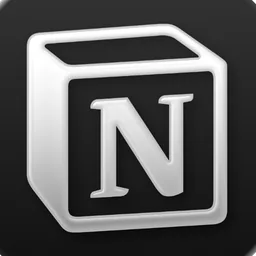
Notion | Liquid Glass (Dark) icons for Mac
2 alternative Notion | Liquid Glass (Dark) icons for macOS, made by the macOS icon community. The most popular one has been downloaded 836 times. Newest added September 2025. Every icon is a 1024×1024 PNG with a transparent background, sized for the Dock.
How to use a custom Notion | Liquid Glass (Dark) icon
- Pick an icon below and download the PNG.
- One click with Iconic: select Notion in the sidebar, search, click the icon. Iconic restarts the Dock for you.
- Or by hand: open Finder → Applications, select Notion, press ⌘I, then drag the PNG onto the small icon at the top of the Info window. Full guide.
More Productivity icons








FAQ
Are these Notion | Liquid Glass (Dark) icons free?
Yes. Every icon on this page is a free 1024×1024 PNG download, credited to the designer who made it. No account needed.
How do I change the Notion icon on my Mac?
Select Notion in Finder, press Command-I, and drag the PNG onto the icon at the top of the Info window. Or use Iconic to apply it in one click.
Will the custom icon survive Notion updates?
An app update can replace the app and bring the stock icon back. Iconic's background service notices updates and reapplies your custom icon automatically.